
1. Token utility
Plug in the token and open the utility installed with its driver. Select your certificate to see “valid from” and “valid to”.
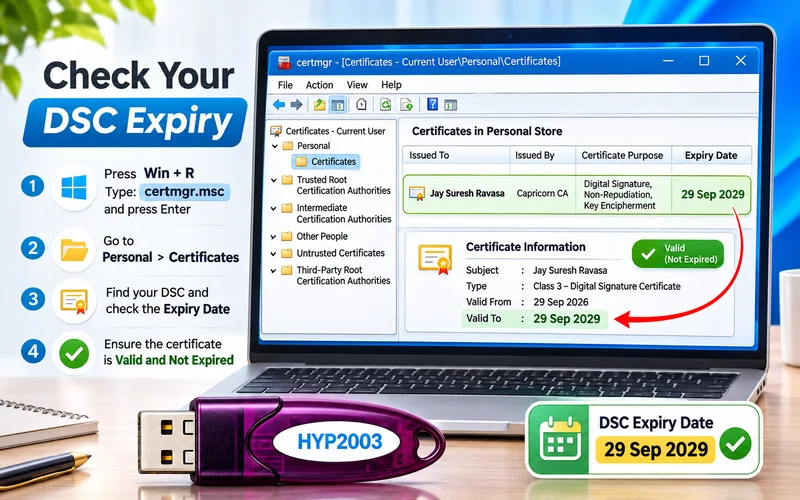
2. Windows certificate manager
With the token plugged in, open Internet Options → Content → Certificates. Your certificate appears under Personal with its expiry date.
3. On the portal
GST, MCA and Income Tax show your registered DSC’s details and validity in the DSC section of your profile.
4. In a signed PDF
Open a PDF you signed, click the signature and open its properties to see the certificate’s validity.
Expiring soon?
Apply for renewal 7–10 days before expiry so you don’t miss a filing.

Written by
Khushboo Bhalani
DSC expert, Global Signtech · Helps customers set up and fix DSCs every day
